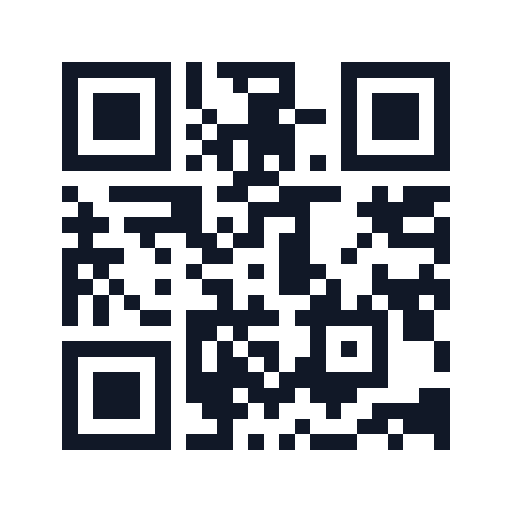
Ready to use
Social video safe zone preview
Check possible caption overlap with adjustable Reels, Shorts and TikTok guides.
Create a QR code from a link or text and download PNG or SVG.
Your QR code is ready. Test it with another device before sharing.
Content updated:
Generate a practice code for https://tooltava.com/en/ and download PNG or SVG. Follow these checks for the file and destination. This is a walkthrough, not a guarantee of readability on every phone or printed surface.
| Check | Expected result |
|---|---|
| Open the original file | The code and white border are fully visible |
| Scan with a phone camera | Check that the address is tooltava.com/en/ before opening |
| Scan the final placement or print | The same address opens from the finished output |
Enlarging PNG can blur the image. Keep the original. SVG supports resizing, but the receiving application must support it. Preserve the square shape and white border. Editing the input later does not change previously downloaded codes. Destination access permissions and an internet connection still matter. This generator does not count scans.
Build a UTM link first to distinguish campaign visitsThis QR code is an actual output for the ToolTava home page in this language. Copy the URL into the generator, choose correction level M and size 512px.
https://tooltava.com/en/
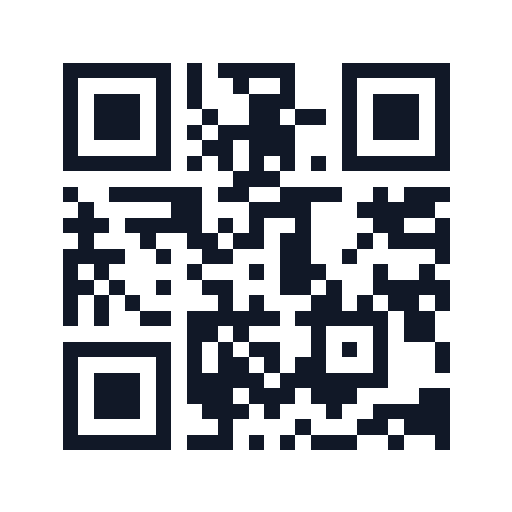
Download PNG or SVG for practice. Check the destination address before opening it on a phone. These digital samples do not guarantee readability at every print size or on every camera. There is no scan tracking.
A QR code encodes your content as a grid of dark and light modules. Higher error correction adds redundancy so more damage can be recovered, while making the pattern denser.
No. It is a static QR code containing the text you entered. A linked page may stop working if its URL changes or goes offline.
No. The content is not sent to or stored on our server. QR generation and image export happen in your browser.
Medium (M) works well for most screens and prints. Use Q or H when part of the code may be covered, and always test the final printed version.
PNG is convenient for messages and documents. SVG stays sharp when resized and is better for print or design software.
This tool creates a static QR code containing your input. It cannot change the destination in an existing downloaded code. Generate a new code and replace the distributed image.
Open the address in your browser first. Include https:// for a web address and check spelling, access permissions and whether the page still exists. Generating a QR does not verify that its destination works.
Use the original PNG or SVG and preserve the white border. Keep the square proportions and test at the final print size with another device. Long content creates a denser pattern; remove unnecessary text and regenerate when possible.
No. To distinguish visits to your own site, create a tagged address with the UTM builder before encoding it. Check visits in the destination site’s analytics. Recorded visits are not the same as scan counts.